Internal Admin Tool Redesign
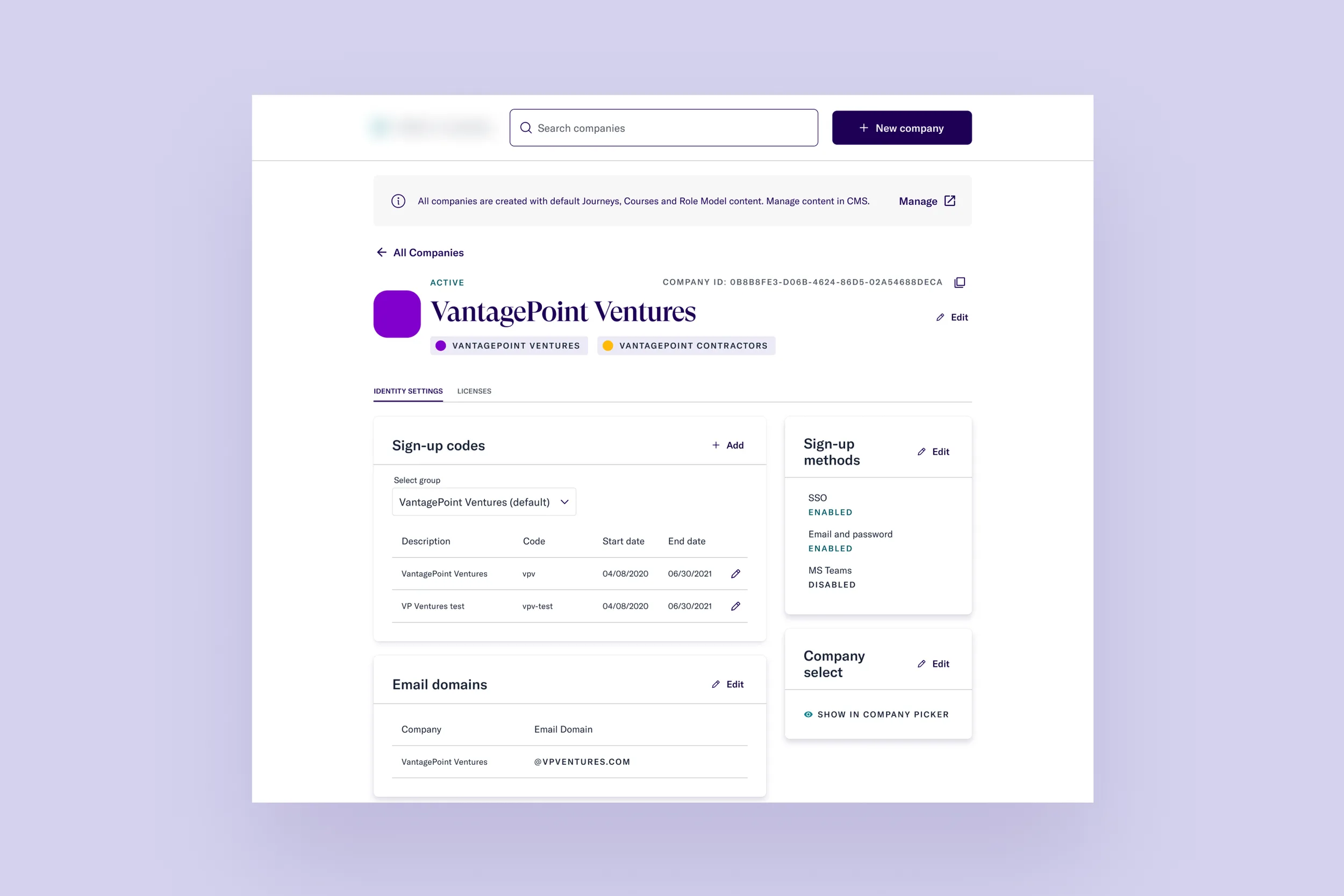
Background
Thrive Global's admin tool is used by internal Customer Success, Customer Support, and Implementation teams to set up customer accounts and configure their access to the Thrive app. With a migration to a new identity provider (IdP) underway, the existing tool would be deprecated in 4–6 weeks.
Team: 1 designer (me), 1 product manager, 1 tech lead, 3 engineers.
Goals
- Enable Customer Support and Implementation to go from contract signed to company onboarded as fast as possible
- Keep all existing functionality through the IdP transition
- Address known usability issues
- Design a modular, extensible framework for future features
Research
Understanding the technology
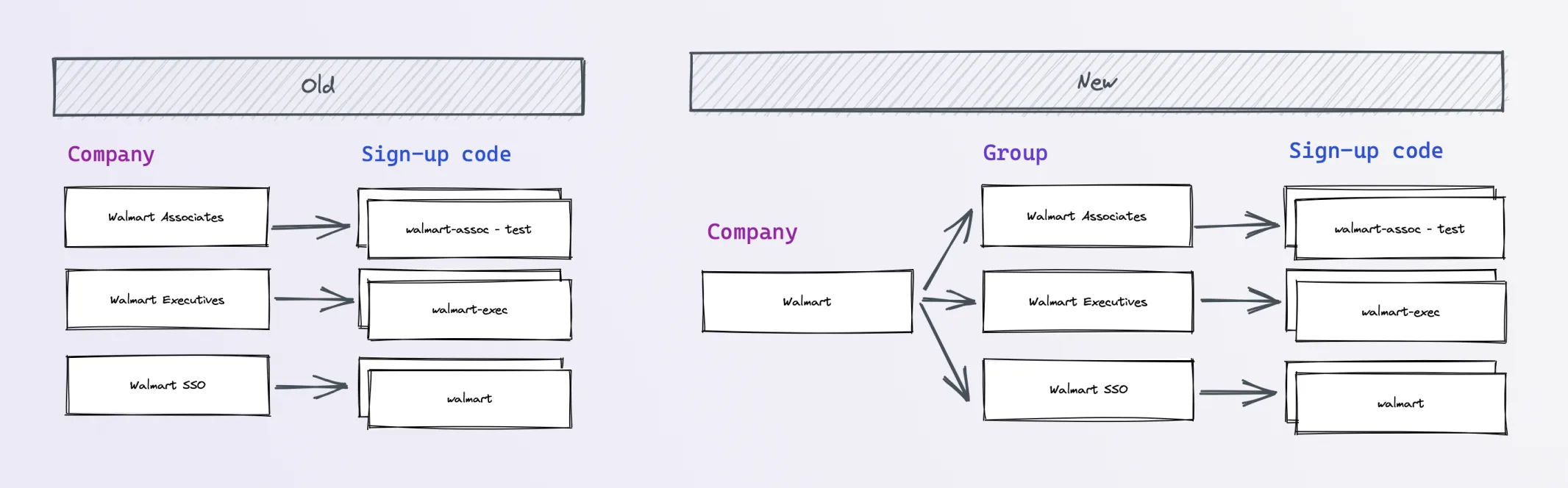
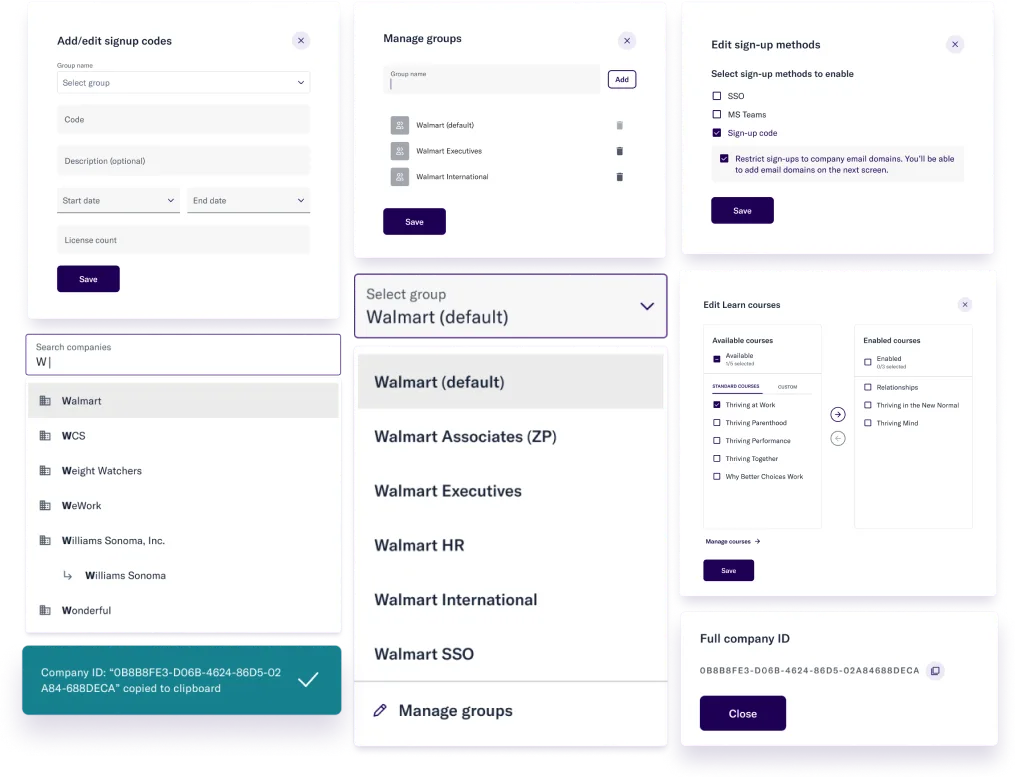
The new identity provider changed relationships in the database schema. For example, Walmart Associates, Walmart Executives, and Walmart SSO shifted from a company value to a group value — a subtle but impactful change that affected how the UI needed to present data.
Understanding the users
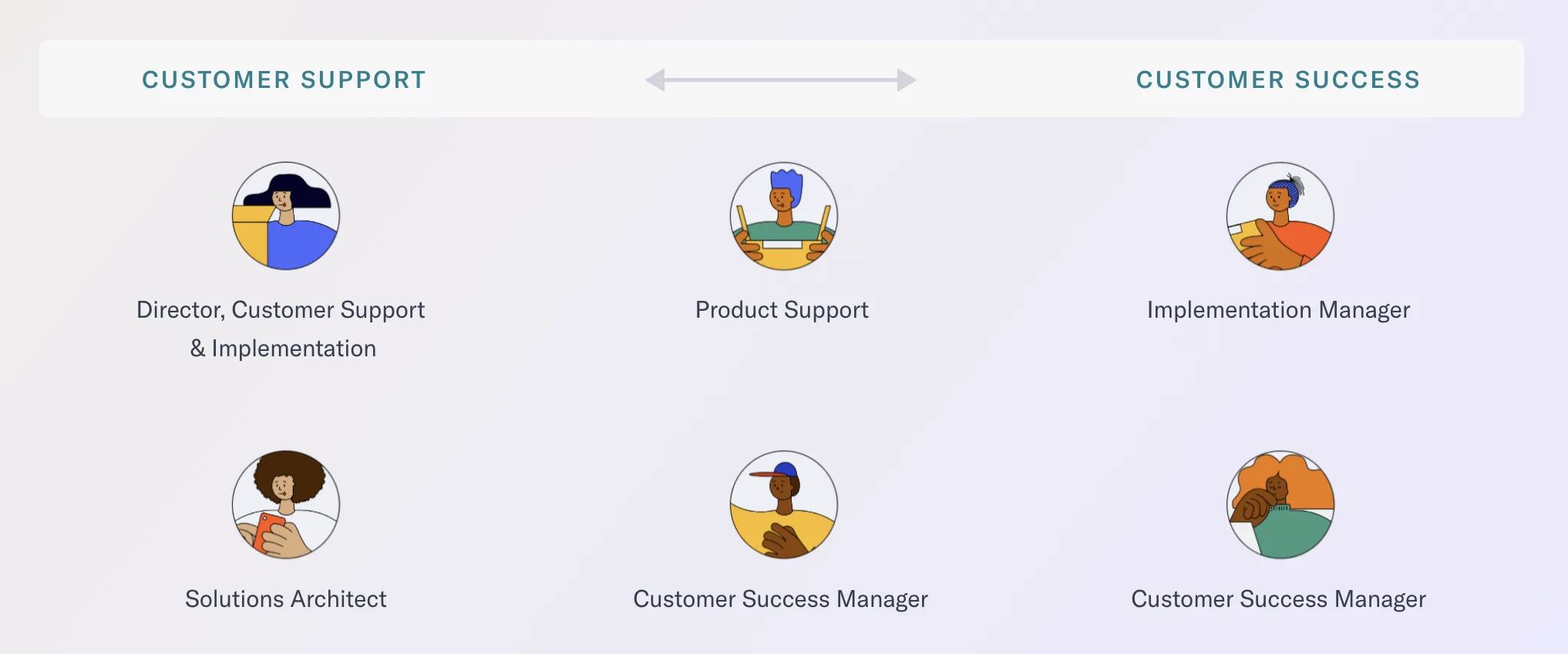
I interviewed users across Customer Success, Customer Support, and Implementation to surface their pain points. Two themes emerged: the need to better categorize information for findability, and the need to reduce slips and mistakes in high-stakes onboarding tasks.
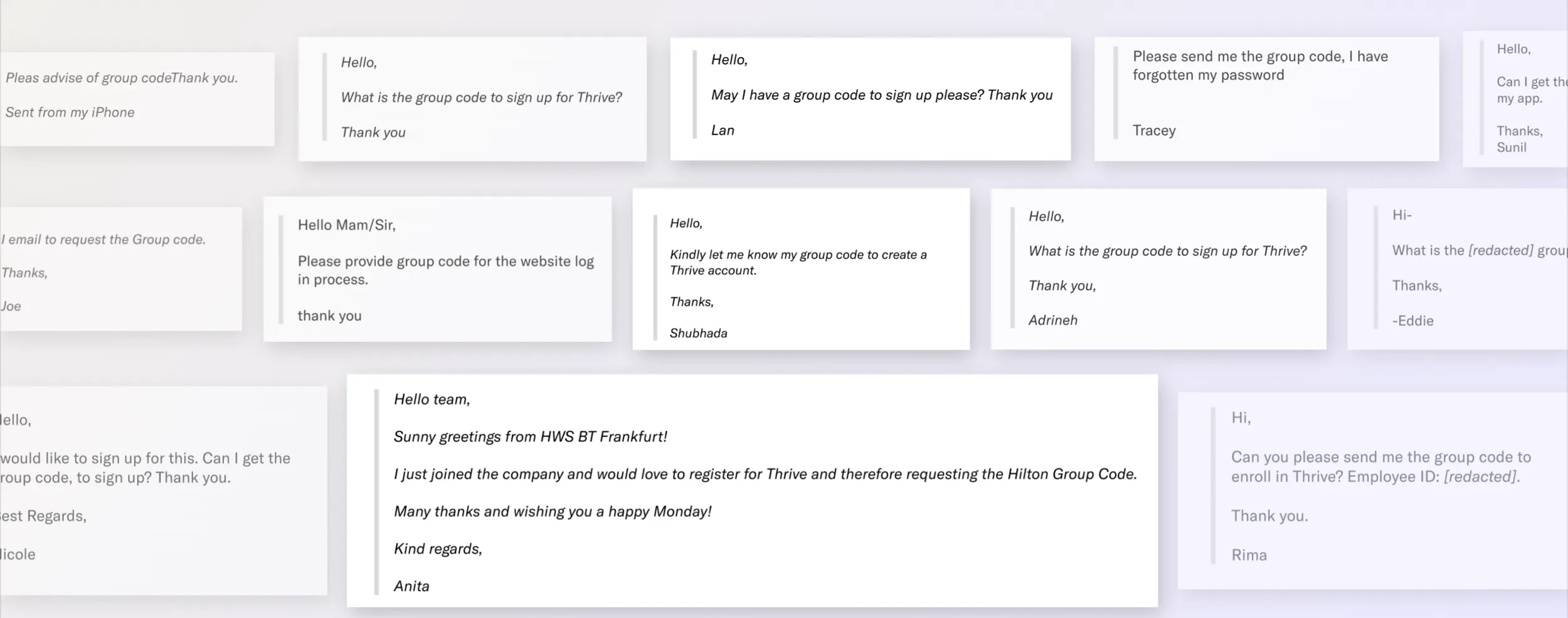
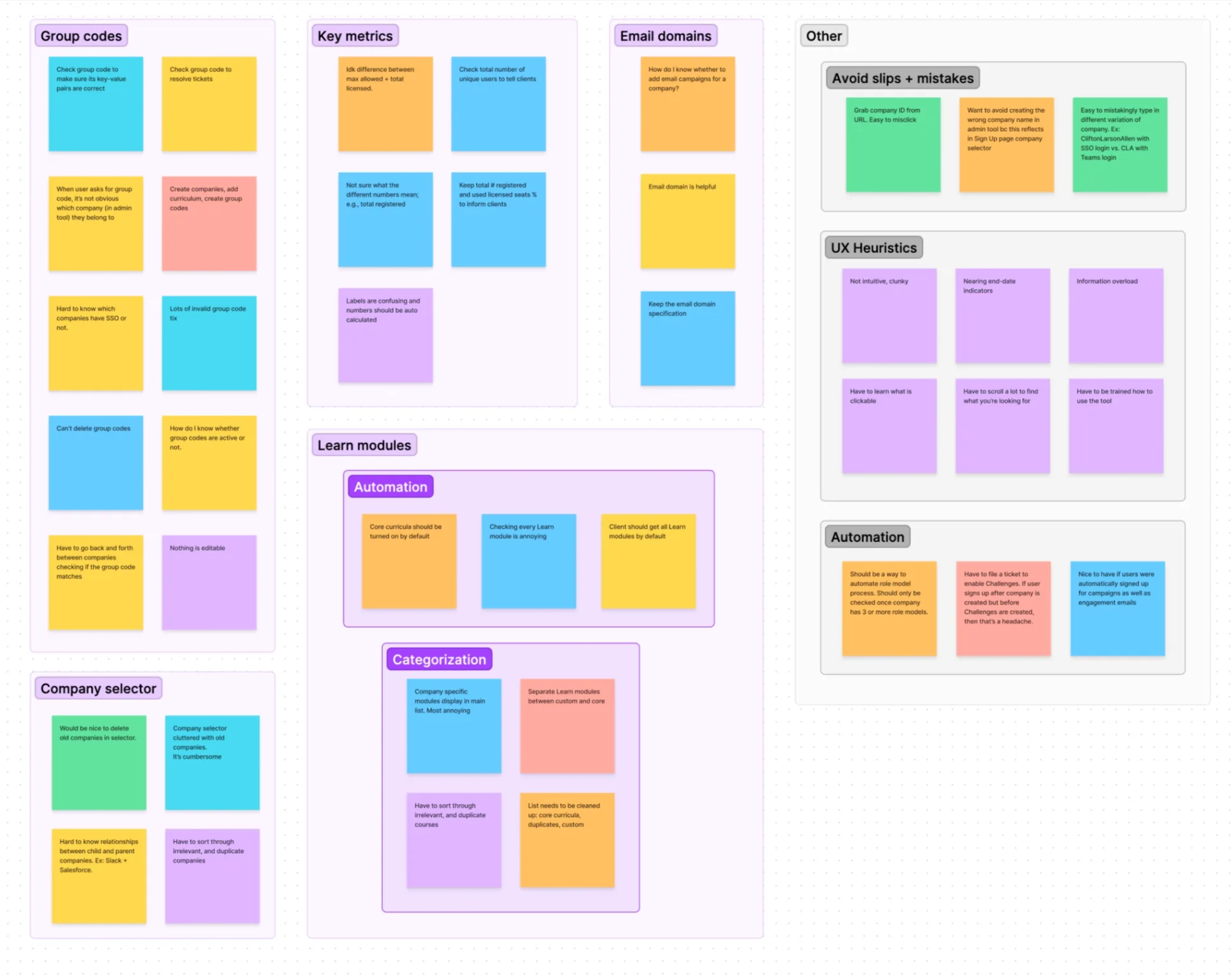
An affinity map of research notes surfaced recurring pain points around group codes, key metrics, email domains, and the company selector — along with themes about avoiding slips and mistakes, UX heuristics violations, and opportunities for automation.
Design process
I started with rough sketches to establish the new framework, looped in the team for feedback early, then moved to high-fidelity designs using real data.
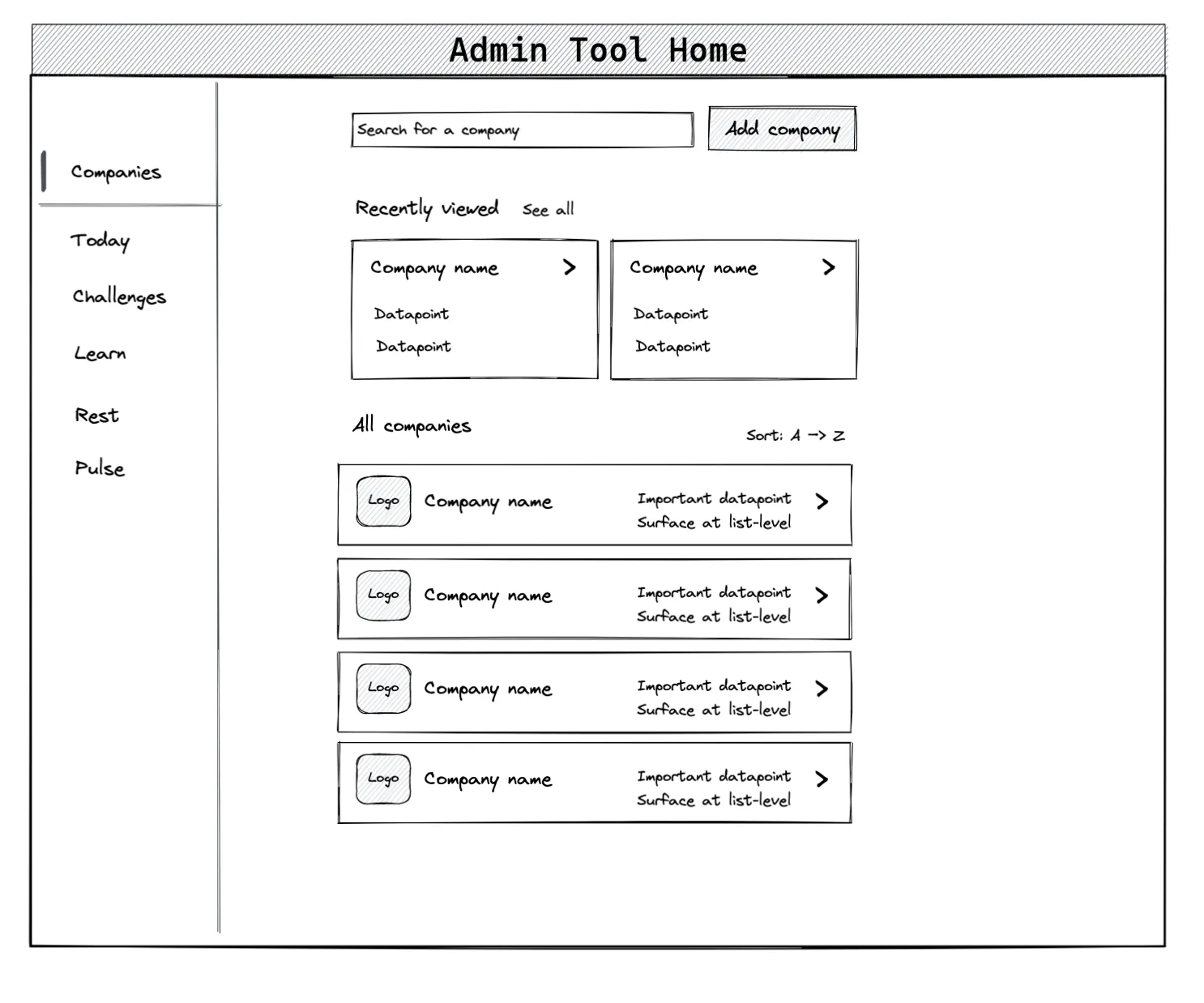
I created prototypes and had users complete their three most common tasks, measuring success rates to validate the direction.
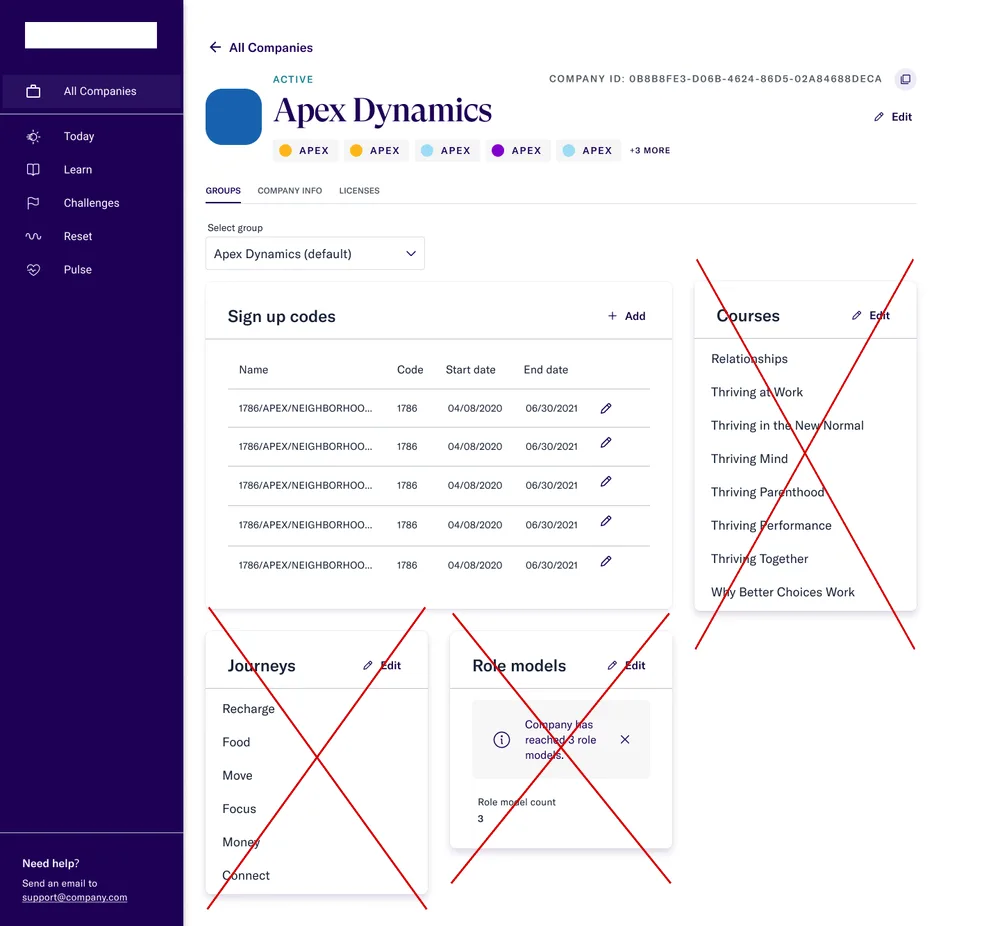
Mid-project, new requirements arrived: new companies would now automatically receive default content via CMS, which changed what needed to live on the company detail page. I adapted the design — bringing Identity Settings forward and adding a dedicated Licenses tab — to keep the page useful without the removed content cards.
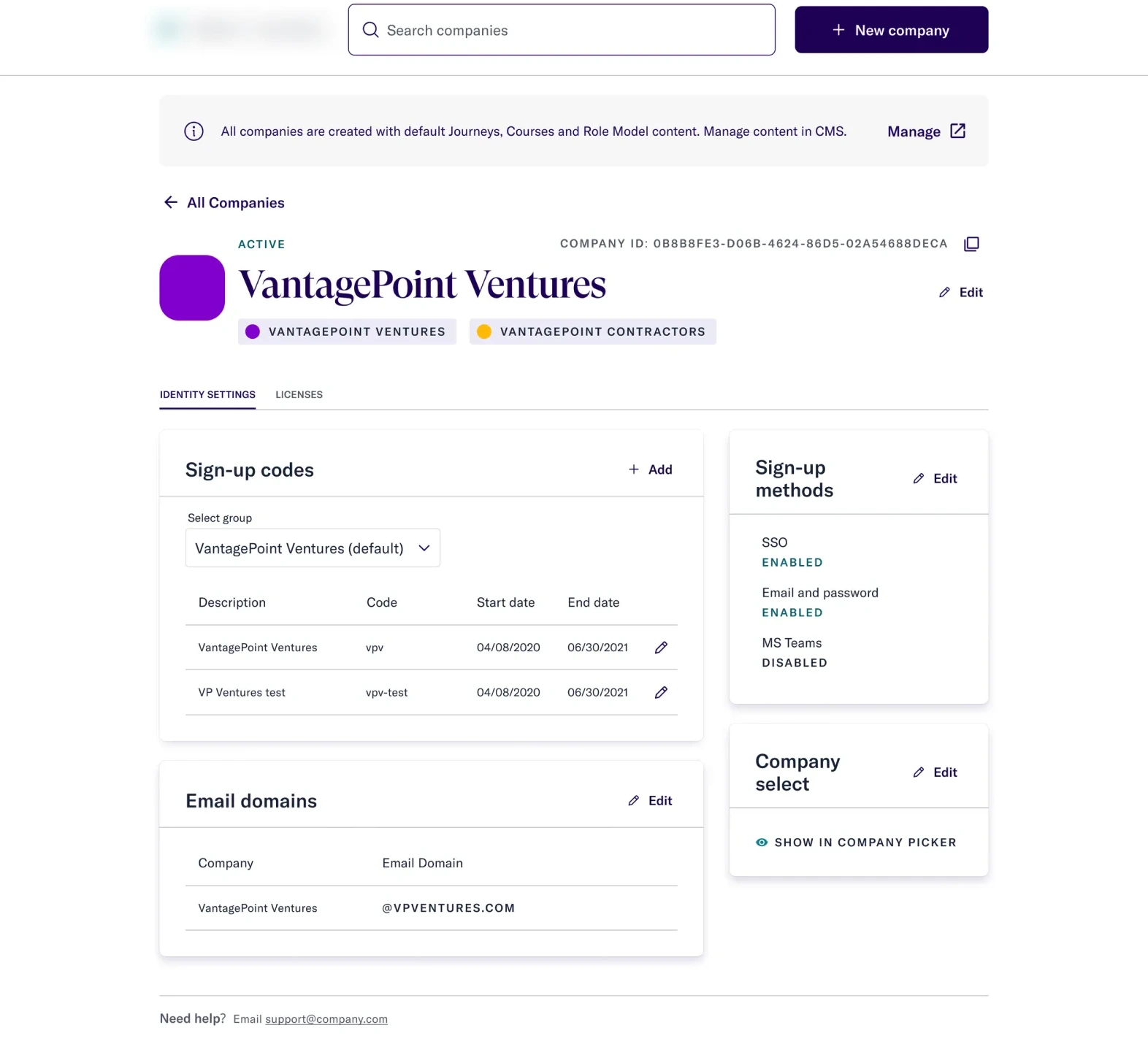
 Before
After
Before
After
Key design decisions
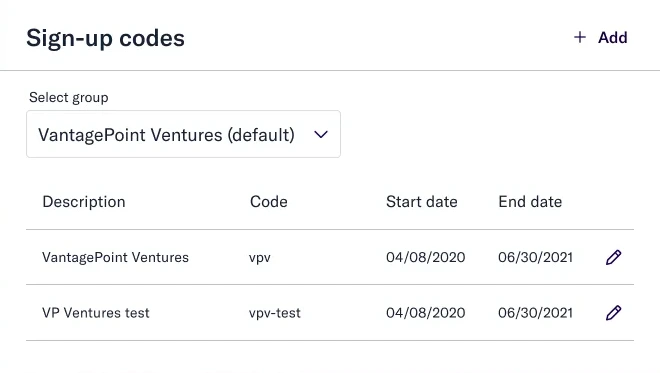
Group code visibility
Users who forgot their group code accounted for 31%+ of support tickets. Added clear descriptions for group and sign-up codes so CS could identify and share them quickly.
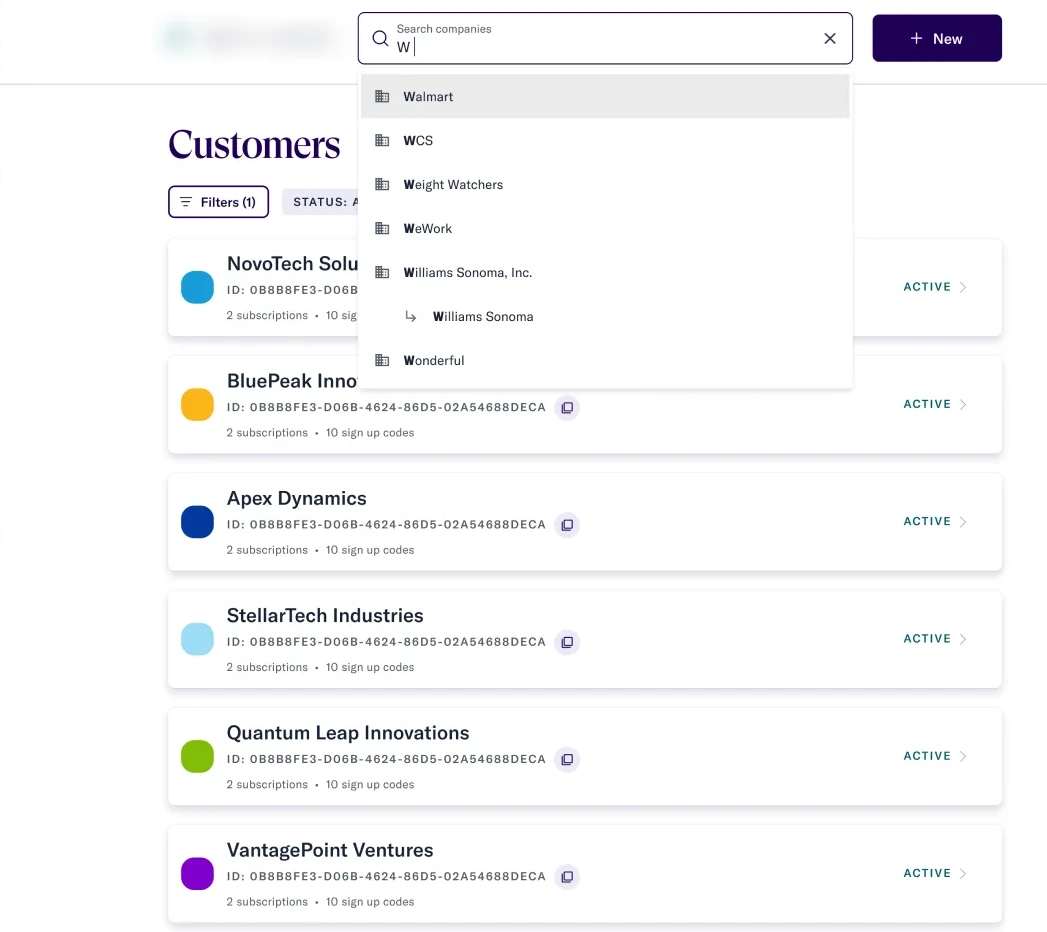
Improved company search
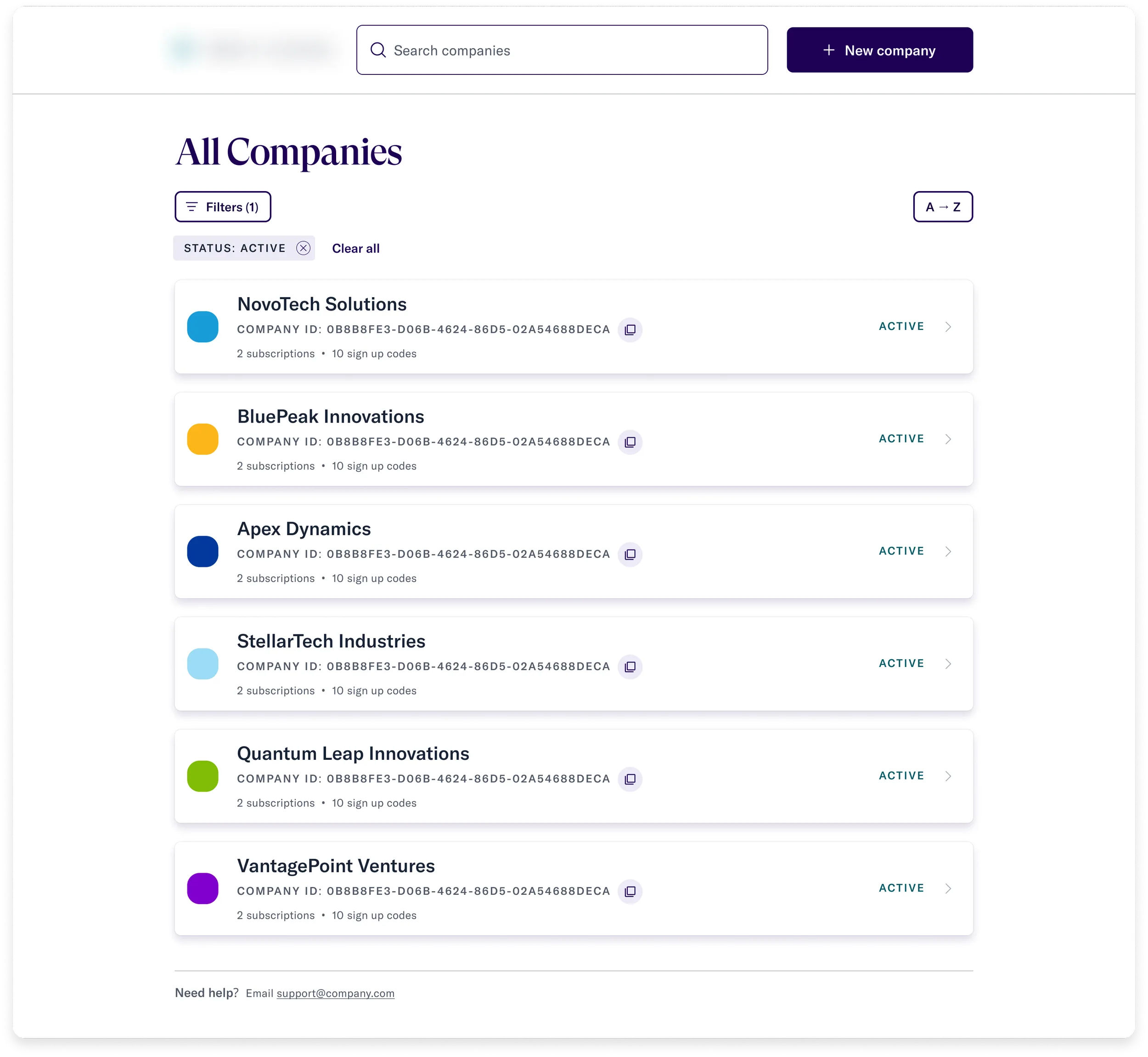
Users can now find "CliftonLarsonAllen" by typing "CLA." Cleaned, deduped data enables company relationships and new self-serve CRUD actions, eliminating requests to the identity team.
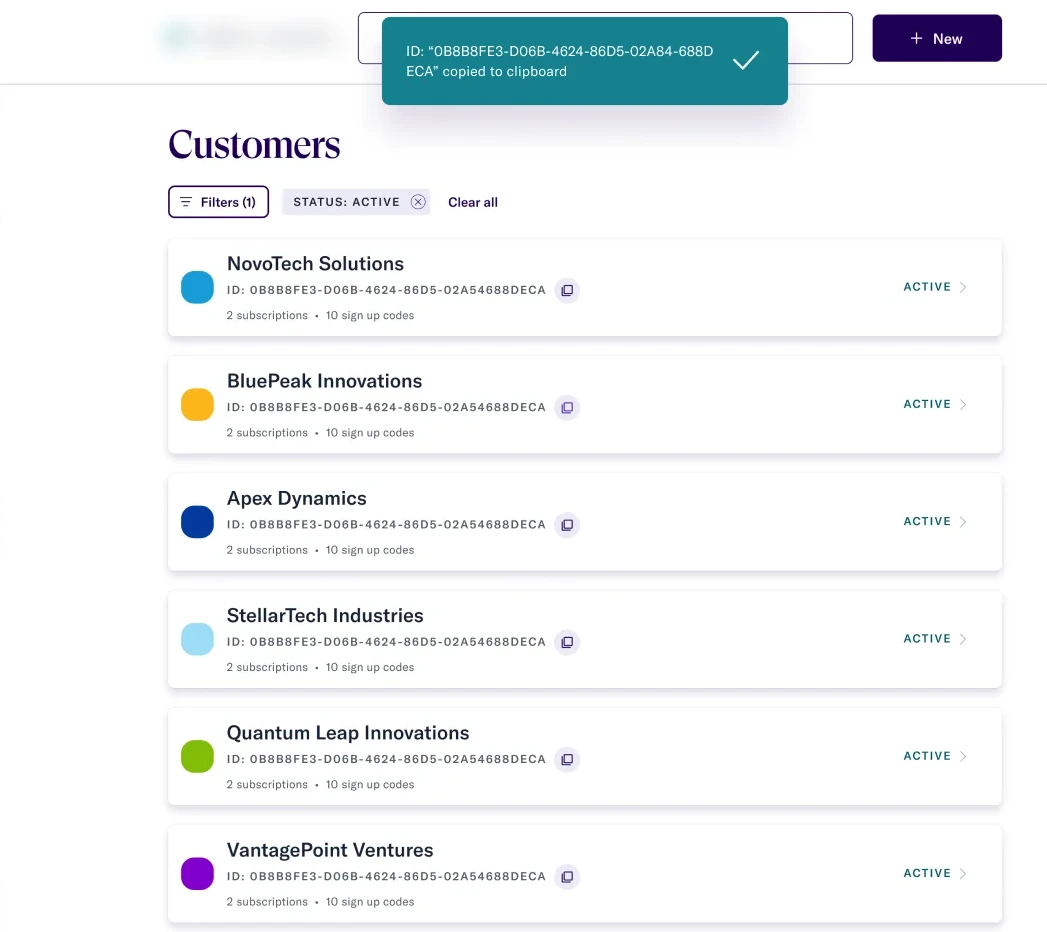
No more copy slips
Implementation managers had to copy a customerID from the URL — slips were common. Added a persistent, fool-proof copy control to eliminate the error.
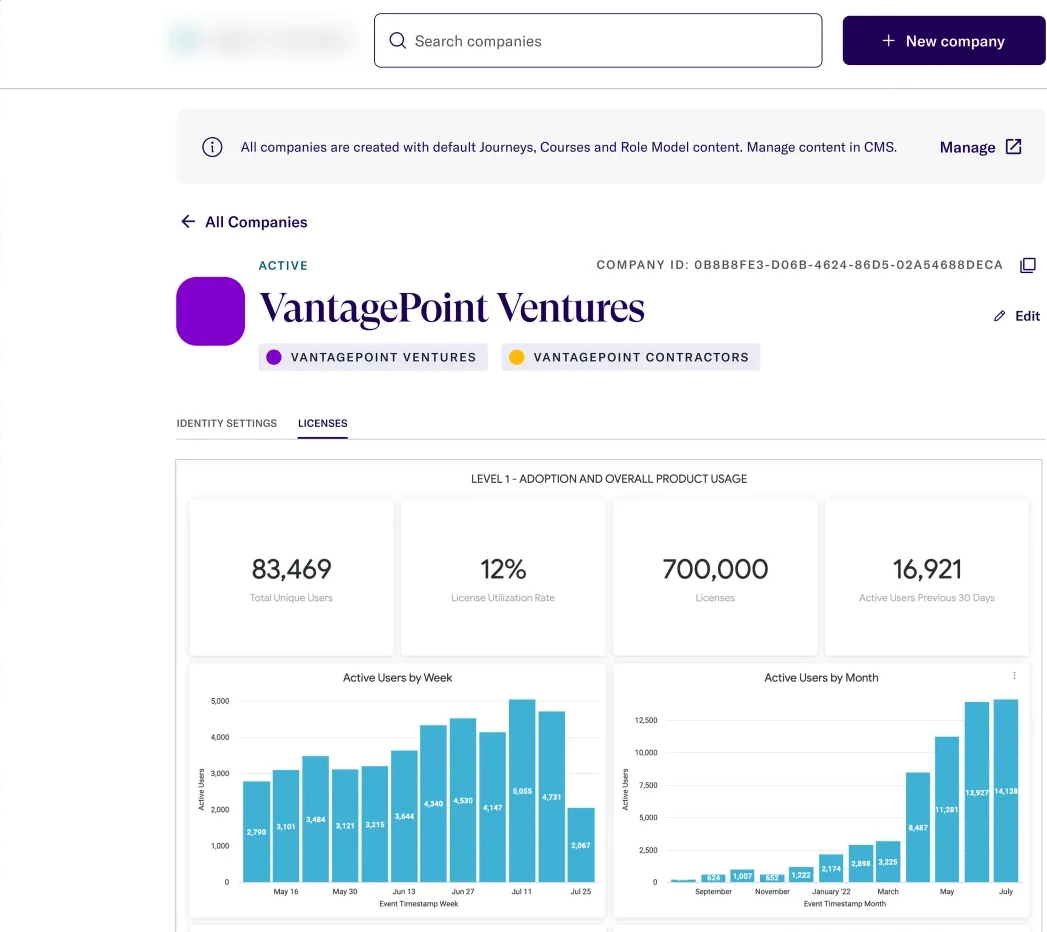
Integrated usage metrics
Embedded Google Analytics adoption data directly into the tool so CSMs could respond to customer usage requests without a separate system.
Modular, extensible framework
Built new components, rules, and states from the design system so future teams could add features without starting from scratch.
Results
The new tool became the one-stop shop for managing Thrive for Call Centers configurations — keeping all existing functionality, handling the new IdP data model, and leaving the codebase in a state the next team could build on.
"I'm glad admin [dashboard] is looking great. When I joined, people wanted to use retool.com. My argument was that if we use the same stack for admin tool, we don't fragment people's training and skillset — and looking at your design, looks like it's working."
— Francois, UX Engineering
"Thanks for the thoughtful work you're doing on this tool, I really appreciate your passion for usability."
— Marie, Customer Support