Chase Advisor Video Platform
Background
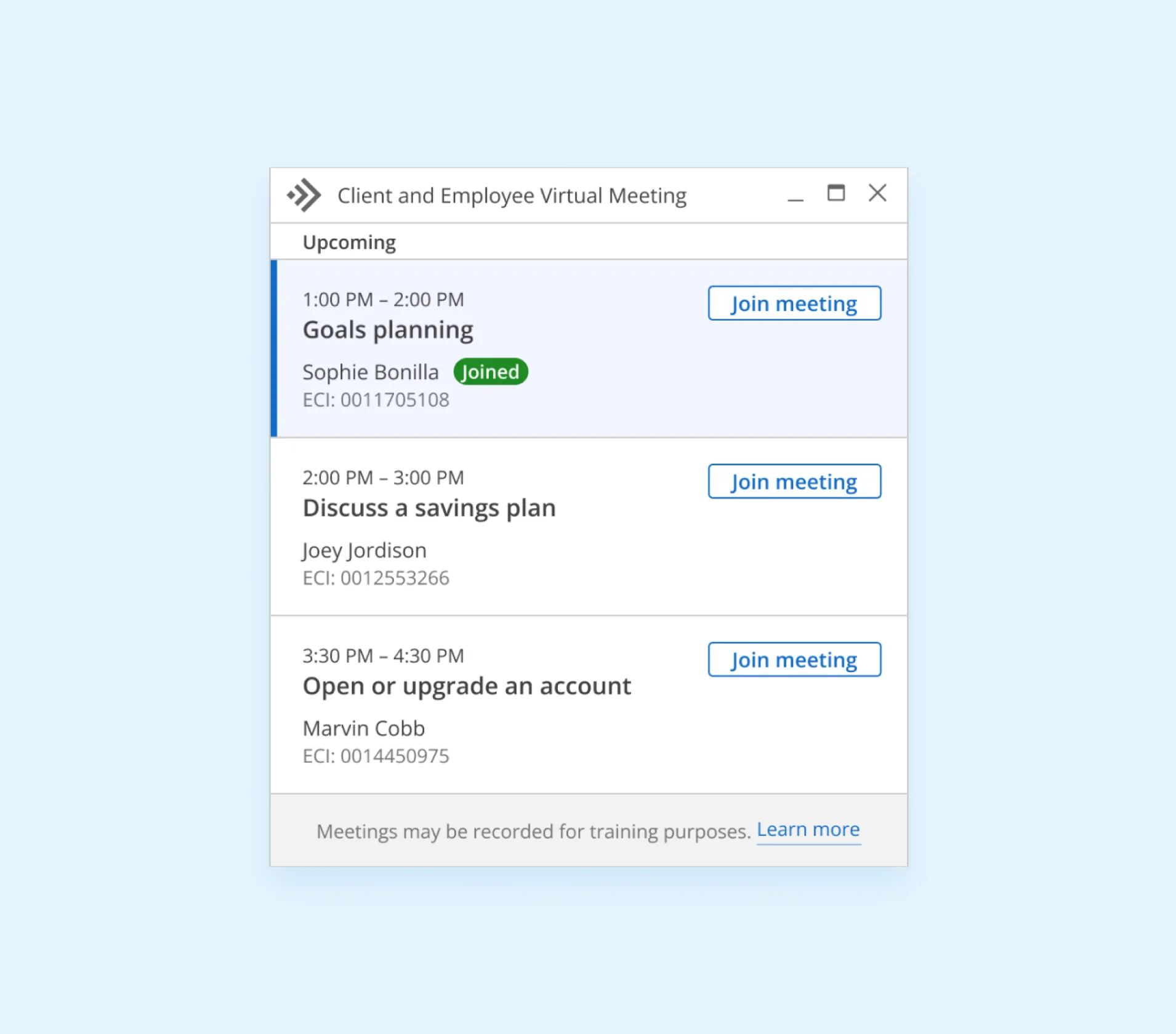
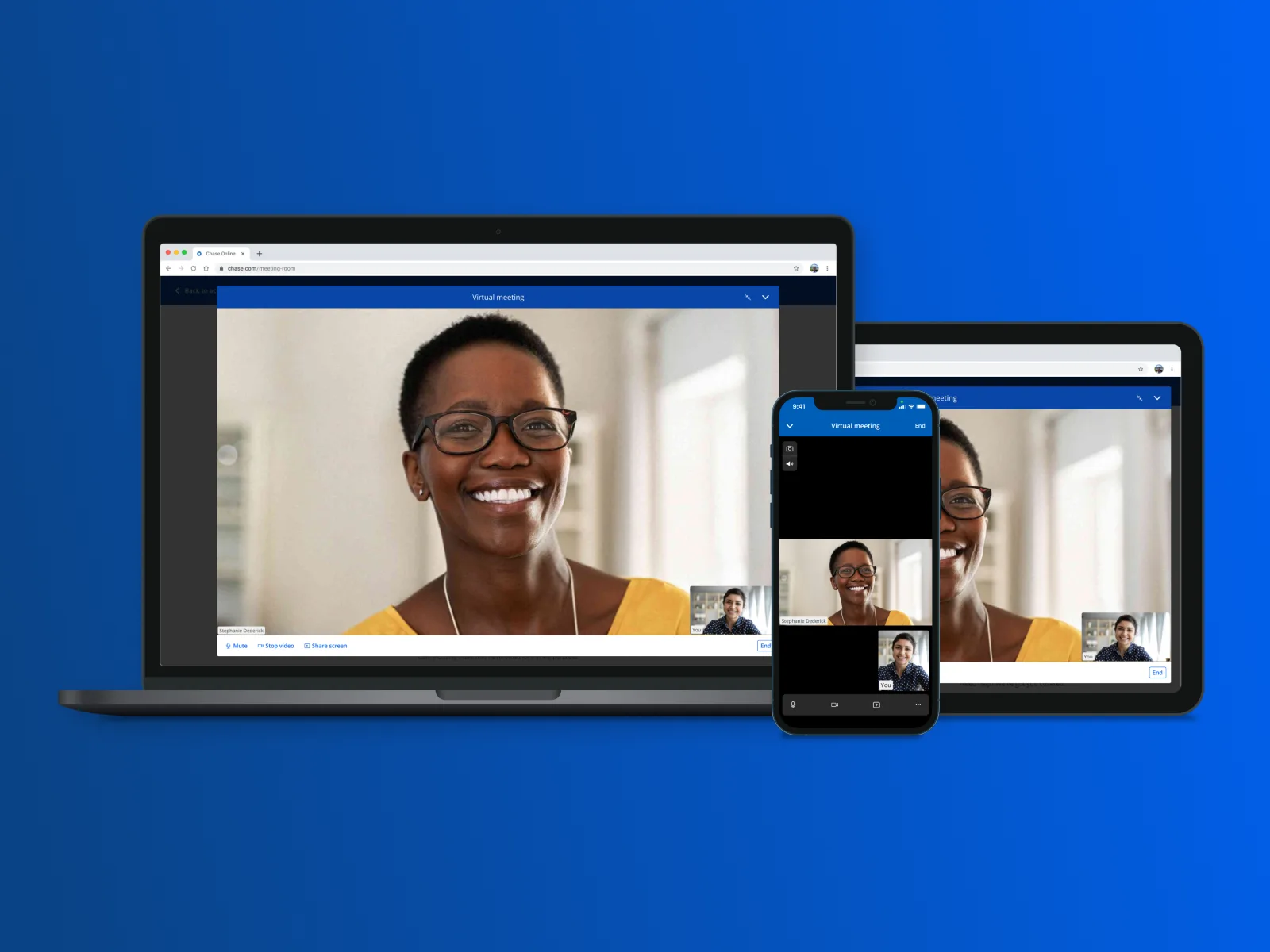
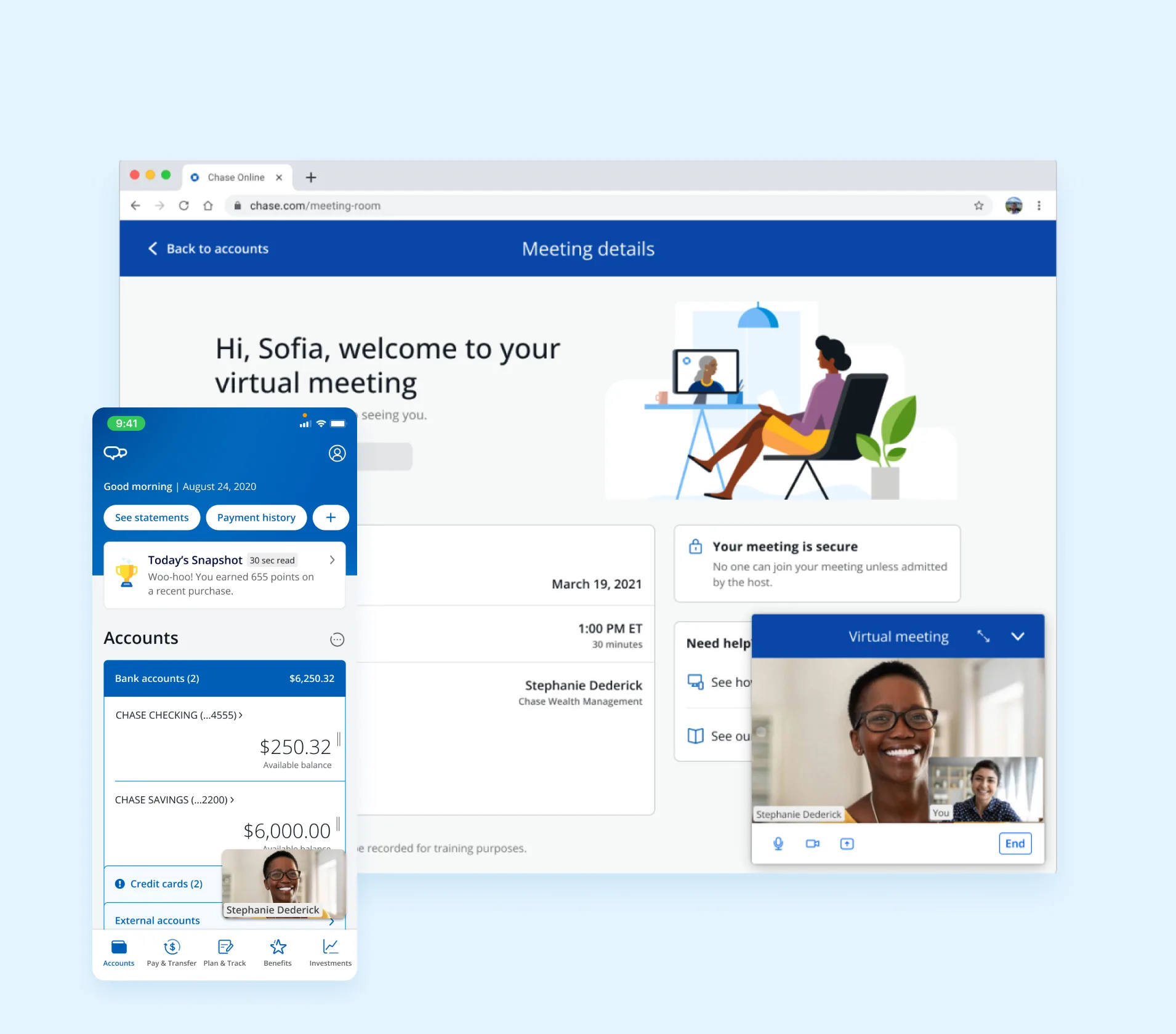
When Covid hit and Zoom's stock price skyrocketed 700%, virtual meetings stopped being a trend. Chase reacted swiftly, building its own secure virtual communications platform so clients could meet with advisors remotely — without leaving the Chase website or mobile app.
At the same time, Chase was launching J.P. Morgan Personal Advisors, a new investment offering where clients work with a team of advisors via video or phone, receive a personalized financial plan, and access expert-built portfolios. The video platform was foundational to making that product possible.
Team: 1 head of product, 1 lead PM, 1 head of technology, 1 UX researcher, 1 content strategist, and 2 development teams each with 1 PM and 3–4 engineers.
Goal
Build Chase's first-ever suite of collaboration tools — video, screen sharing, and co-browsing — all within the Chase website and mobile app. First built for Wealth Management, with a long-term roadmap to expand to Auto Financing, Home Lending, and Business Banking.
Impact
J.P. Morgan Wealth Management advisors enabled, overseeing $615B in assets under supervision.
Successful virtual meetings within 2.5 months of launch.
Average advisor rating from clients in the J.P. Morgan Personal Advisors pre-launch.
Licensed financial professionals serving clients through J.P. Morgan Personal Advisors at launch.
Technology
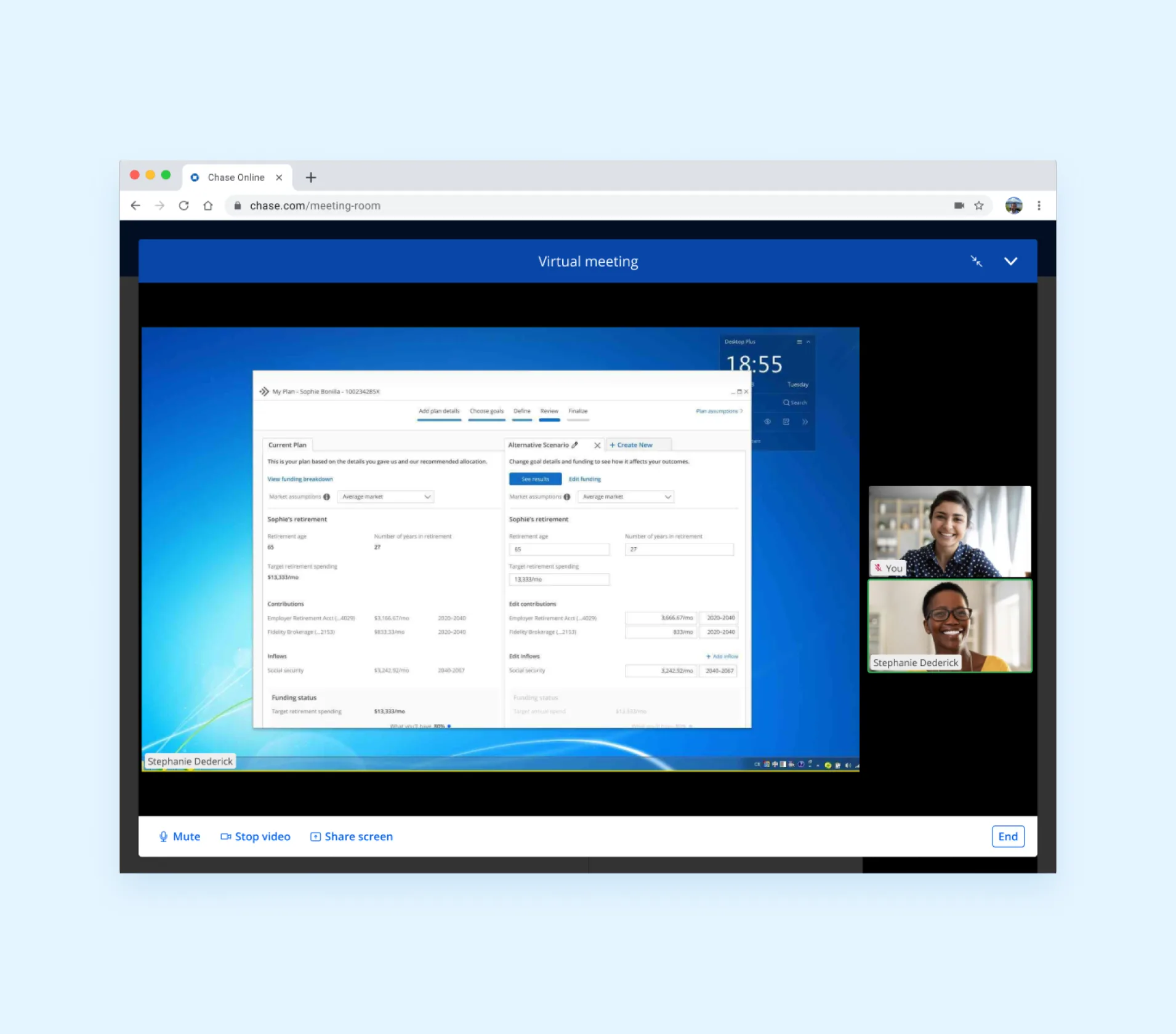
We used Zoom's Meeting SDK to host the meeting and Oracle's Cobrowse SDK for connected, secure screen sharing and co-browsing. The challenge was making two separate SDKs coexist seamlessly — starting as a proof-of-concept, then evolving into a full product with familiar video controls, dynamic resizing, multiple participants, and screen sharing.
Design challenges
Resizing, resilience, and responsiveness
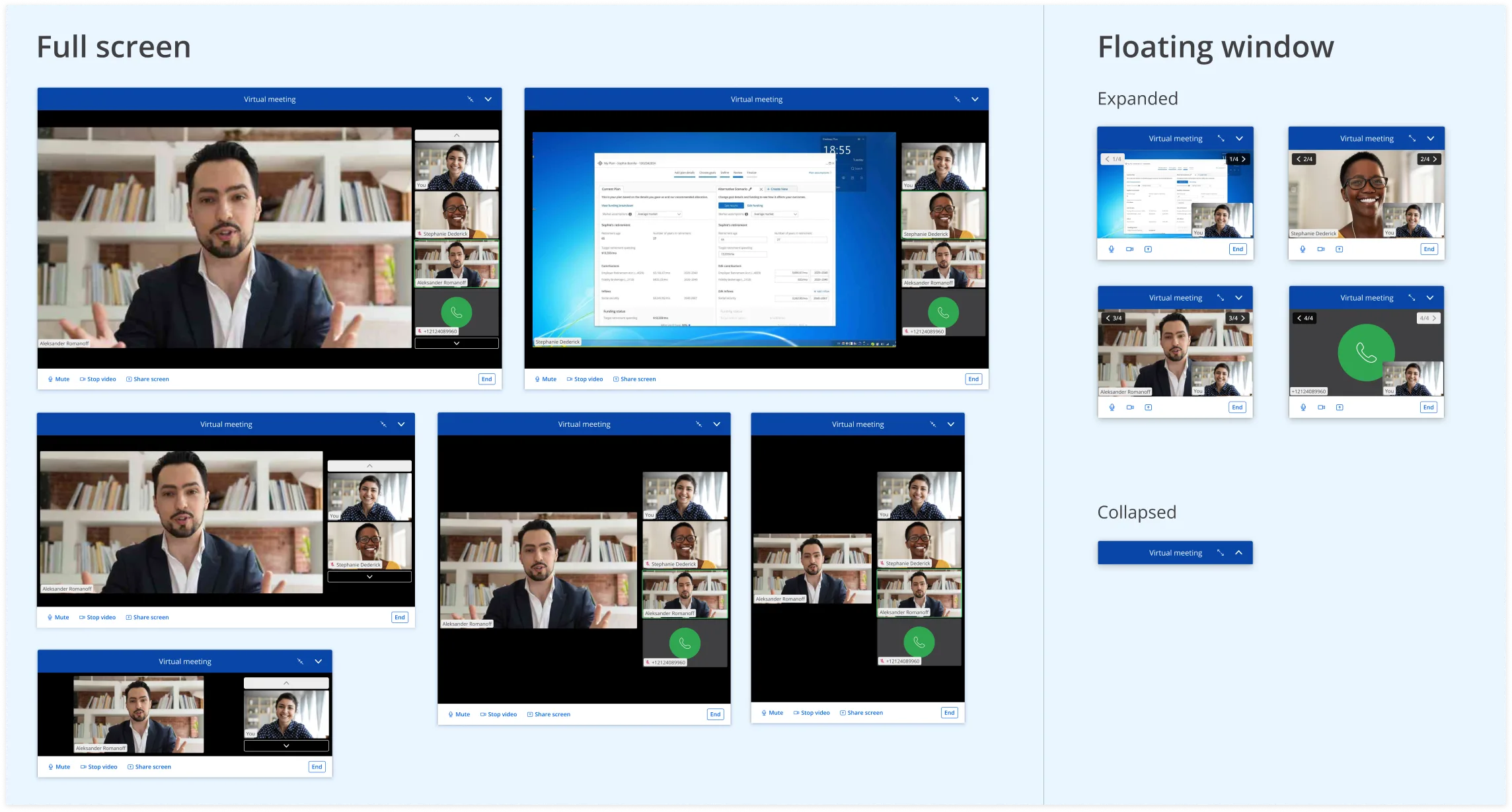
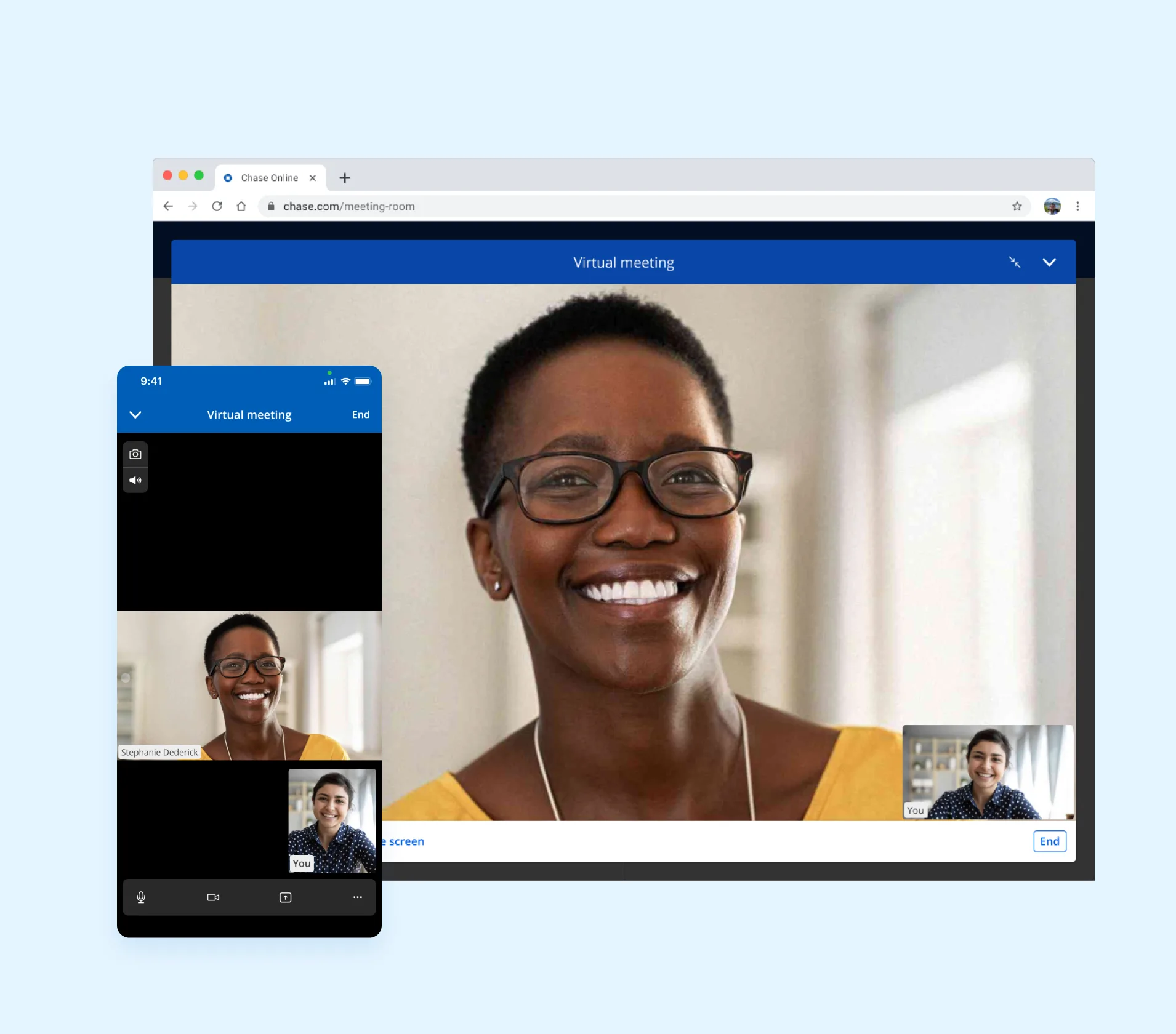
The meeting window needed to handle collapsed, expanded, minimized, and maximized views — plus browser resizing — without breaking the experience. I designed resize controls alongside familiar meeting controls to accommodate docking, repositioning, and various screen sizes.
Accessibility
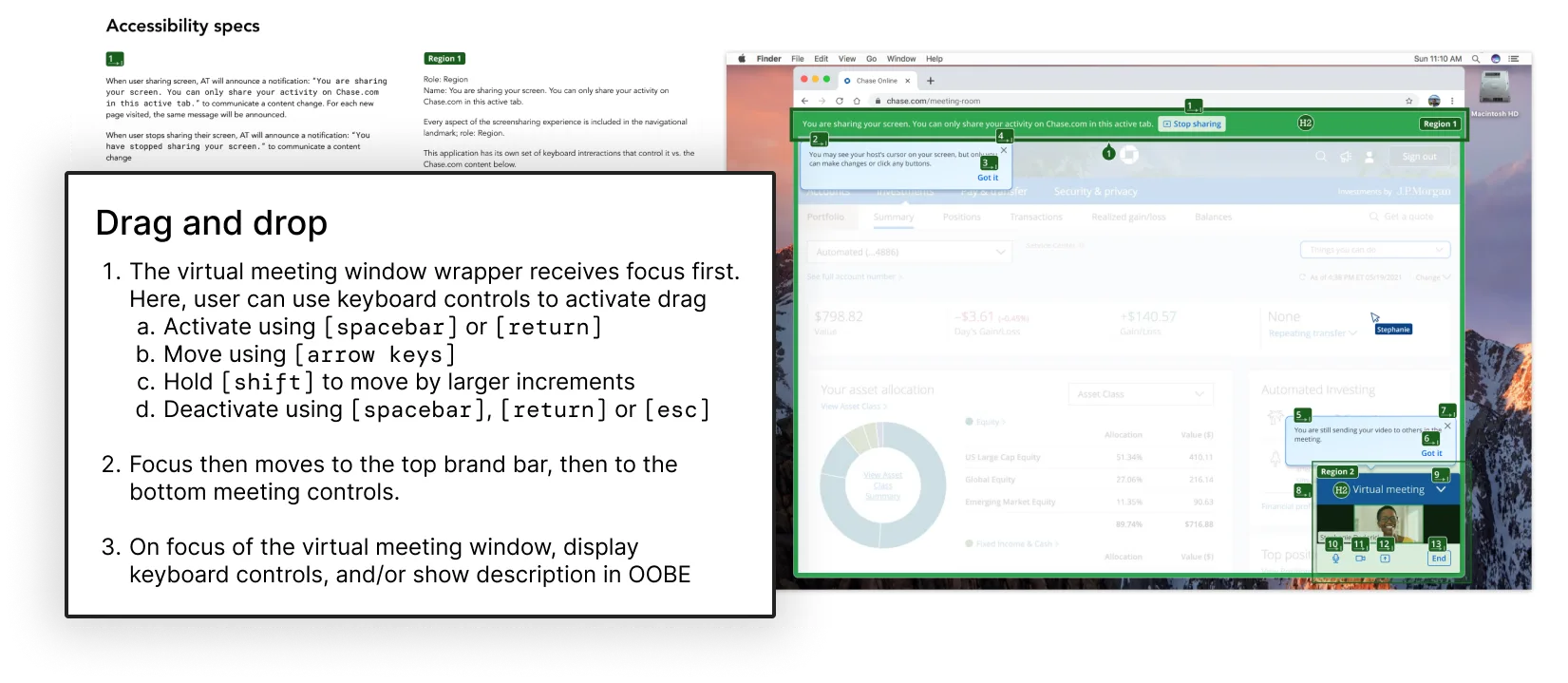
For a sighted user, it's obvious when you're sharing your screen. For a keyboard-only user, it isn't. I created a11y specs documenting how keyboard-only users could have the full experience — including dragging and repositioning the meeting window.
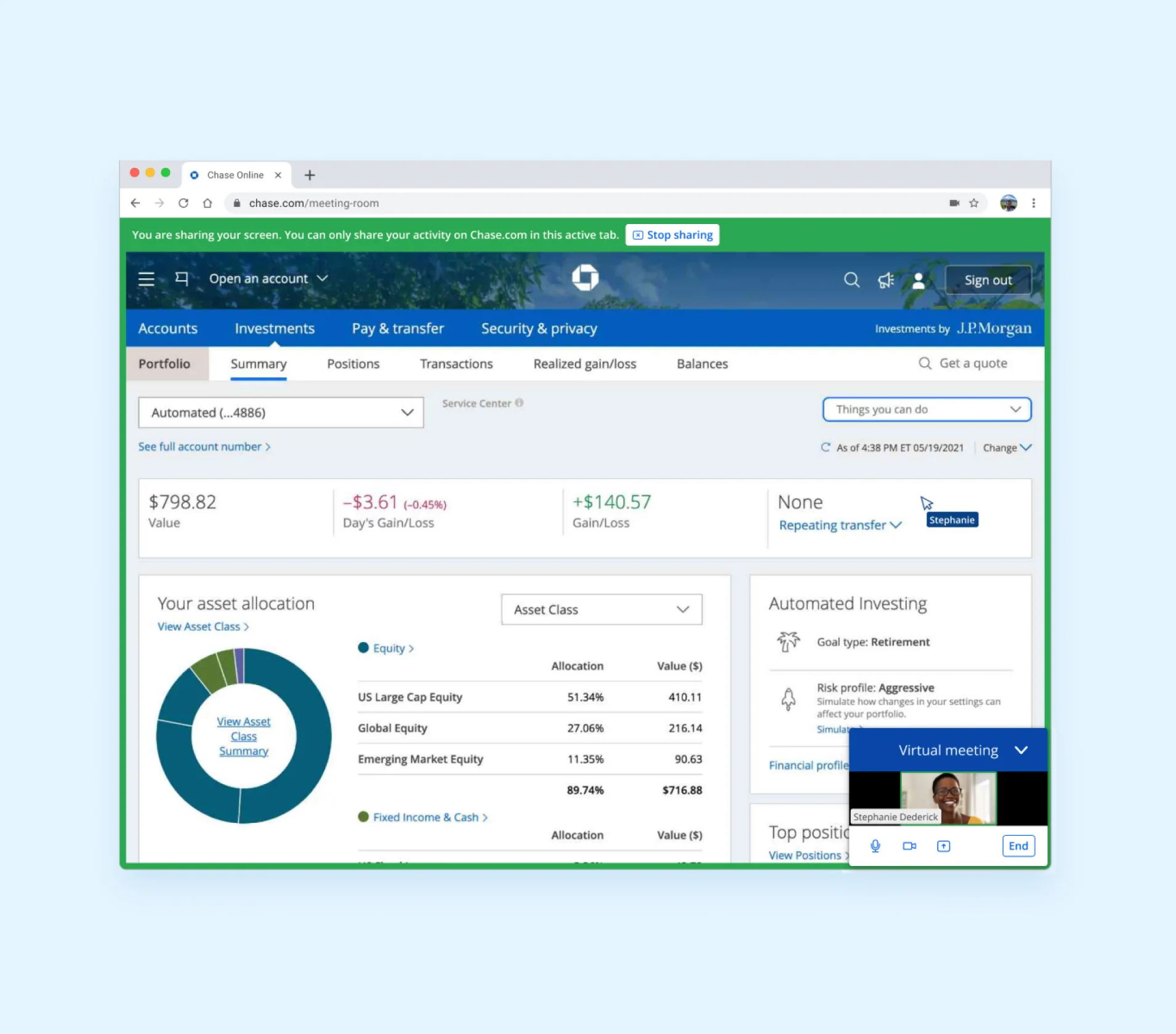
Screen sharing — before and after user testing
- Screen share border hard to see in the sea of blue
- Confusing screen sharing messaging
- Unclear whether camera is on during screen share
- Changed border to green, overriding semantic color guidance from the design system
- Rewrote screen sharing message to account for new tabs
- Added clear system status — whether participants can still see you
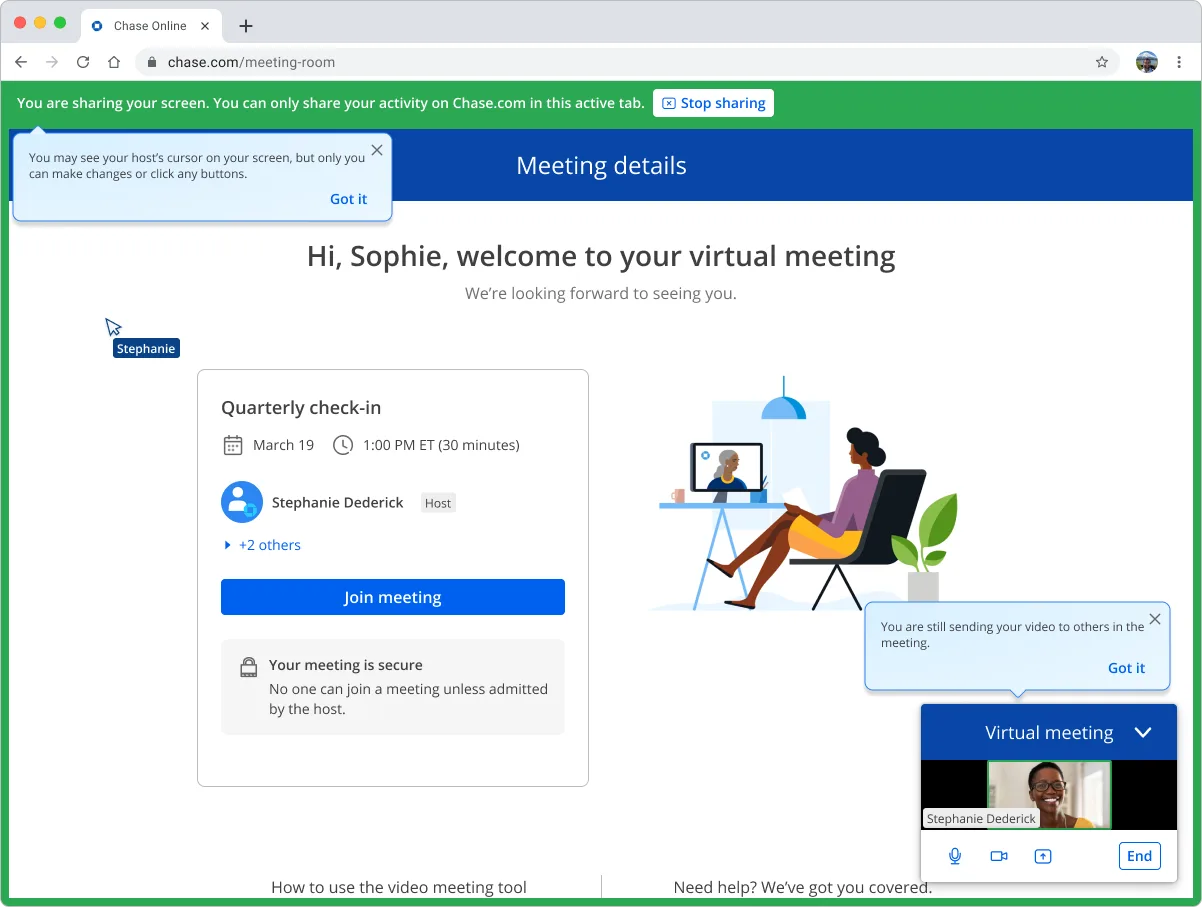
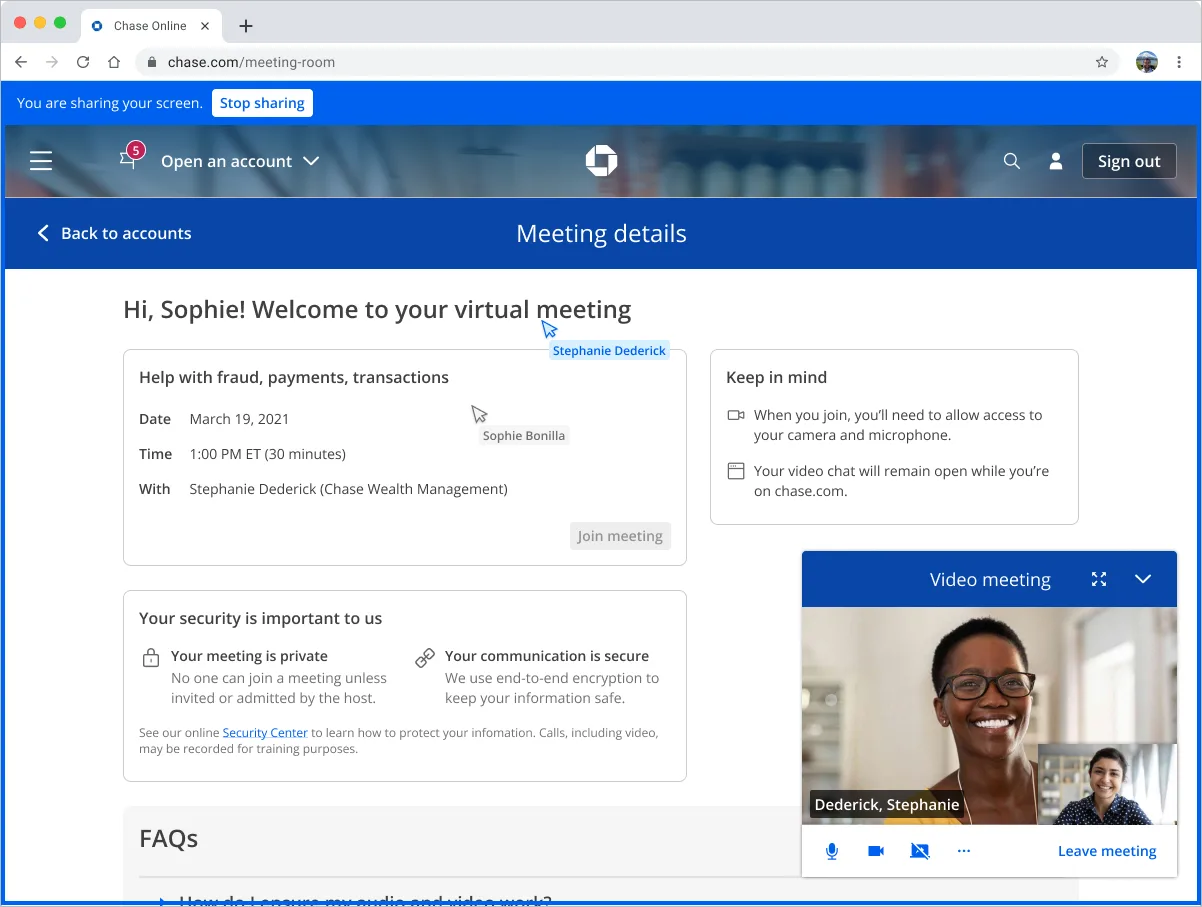 Before
After
Before
After
Results
- Enabled secure video meetings for 5K+ advisors, eliminating the privacy and security risks of off-the-shelf Zoom
- Clients can now meet with any wealth advisor in the US — no longer limited by their locale
- Enabled the launch of J.P. Morgan Personal Advisors, a new $25K-minimum investment product
- Platform positioned to expand to Home Lending and Auto Financing
For Chase clients
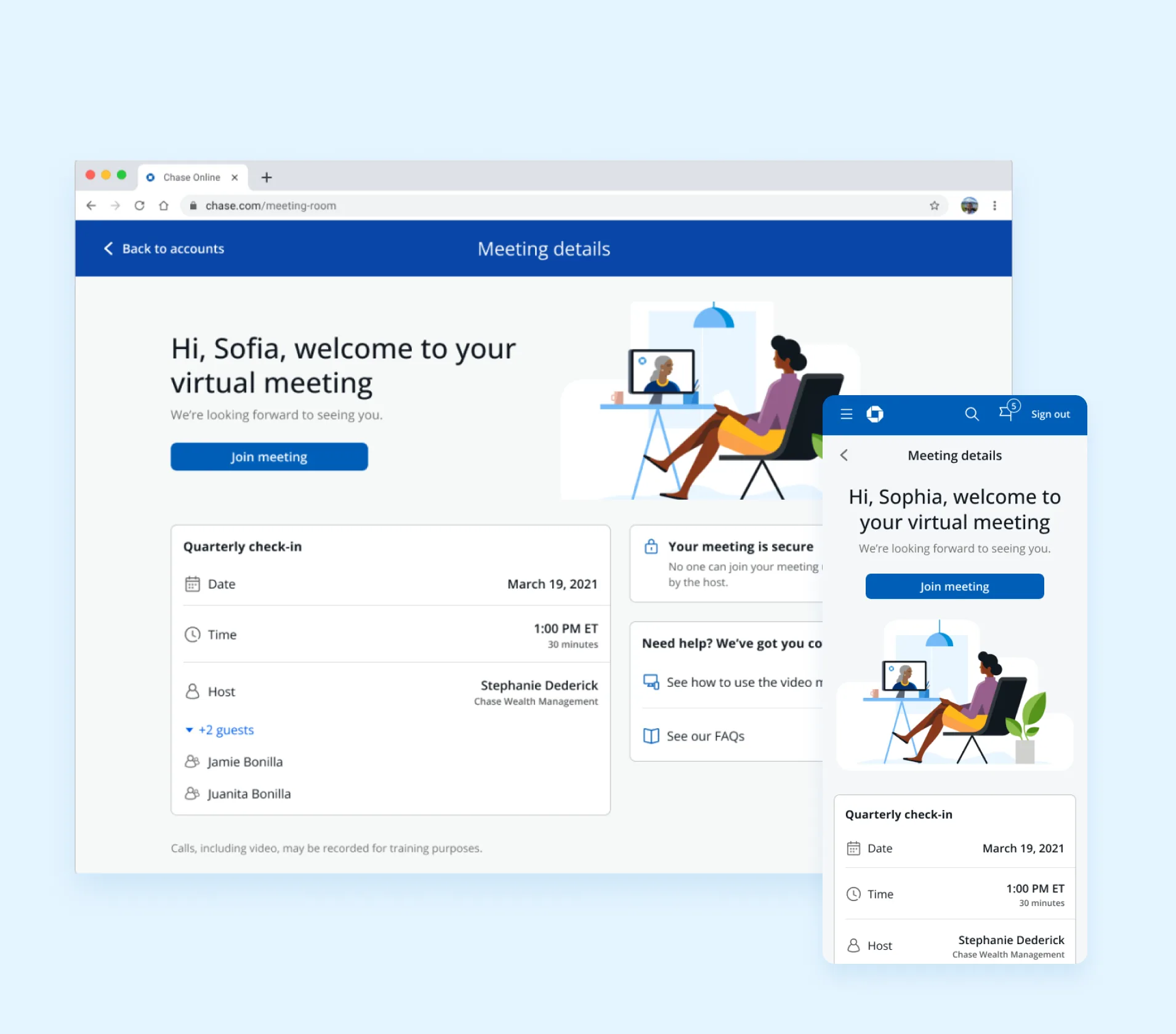
For Chase advisors